- In the Firefox browser visit the website: about:preferences#privacy
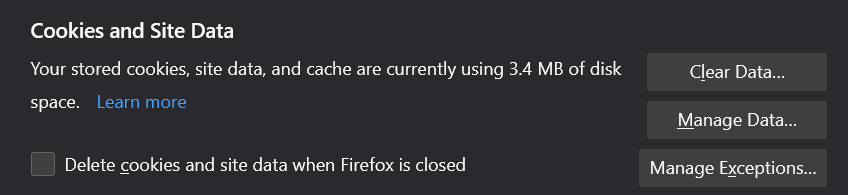
- Once on that webpage, scroll down to the section "Cookies and Site Data" and click the "Clear Data..." button.
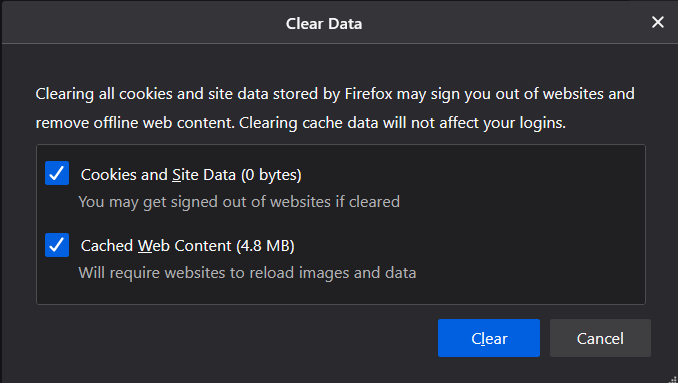
- In the window that appears ensure the checkboxes next to "Cookies and Site Data" and "Cached Web Content" are checked and finally click "Clear" at the bottom of the box.
- Navigate back to to the event page and refresh. You will need to log back into the event.