One of the fastest ways to resolve video, audio, login and, streaming issues is by clearing your browser data and cache. This will allow you to clear out any history or settings in the browser that may be causing you intermittent issues.
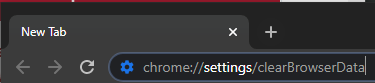
- In the Google Chrome, web browser open a new browser tab and navigate to the following URL chrome://settings/clearBrowserData
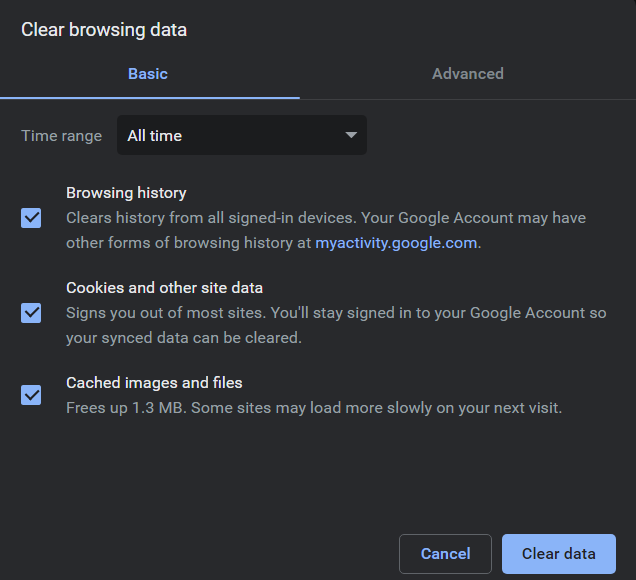
- In the window that appears select "All time" from the time range dropdown and ensure all checkboxes are selected to the left of "Browsing history, Cookies and other site data, and Cached images and files"
- Click the "Clear data" button. Once this process is complete navigate back to the event webpage and refresh the page. You will be asked to log back into the event.
Step 1:
Steps 2 and 3: